


Phone, keys, wallet. Most forgotten-item mornings are not caused by a complicated problem. They happen in the small gap between getting ready and walking through the door.
The simplest fix is a repeatable 30-second check: keep your essentials at one launch point, check them in the same order, and physically touch or see each item before you leave. If your wallet is not where it should be, stop and search in a fixed order rather than emptying every drawer in the house.
This guide gives you a routine that is quick enough to use every day, plus a sensible way to use an Apple Find My-compatible wallet tracker as backup rather than treating technology as a substitute for a good habit.
The quick answer
Use this leaving-home sequence every time:
- Phone - in your hand, pocket or usual bag compartment
- Keys - on the hook, in your hand or in their fixed pocket
- Wallet - in the same wallet slot or bag compartment
- Bag - zipped, with work, travel or family extras inside
Say the four words in the same order while you touch or see each item. The check should take less time than walking back upstairs to search for a wallet.
The important part is not the exact wording. It is removing the need to make a new decision every morning.
Build the routine in five simple steps
1. Choose one launch point
Pick one place close to the door where tomorrow's essentials wait. It could be a shallow drawer, a shelf, a wall hook or one section of your work bag.
Keep the area small. A large hallway table quickly becomes somewhere that everything lands, which makes the items you need harder to see.
2. Give each item a fixed home
Your keys need one hook. Your wallet needs one pocket or tray. Your everyday bag needs one place.
If you change bags often, use the same internal compartment in each bag. That way the search pattern stays familiar even when the bag changes.
3. Check in the same order
Use a sequence that is easy to remember: phone, keys, wallet, bag.
Do not simply think, "I probably packed it." Touch the wallet. See the keys. Check that the phone is actually in the pocket you expect.
4. Reset the launch point when you come home
The routine starts when you return, not when you are already late the next morning. Put the essentials back before you sit down, change clothes or move to another room.
If the wallet needs to leave the launch point, return it as soon as you finish using it.
5. Keep the backup ready
If you use a wallet tracker, add it to the correct finding app before you need it, keep it in the wallet you actually carry, and follow the current product guidance for charging and care.
A tracker is most useful when setup and maintenance happen on an ordinary day, not during the first stressful search.
What to do when one item is missing
Do not search everywhere at once. Use a short location ladder, moving from the most likely place to the least likely.
- First: Check the launch point and the floor immediately around it.
- Second: Check today's bag and the bag you used yesterday.
- Third: Check yesterday's coat, trousers and work clothes.
- Fourth: Check the car, desk, sofa and the last place you paid for something.
- Then: If the wallet contains a compatible tracker, open its finding app and use the information shown there to decide where to look next.
| What you notice | First check | Sensible next move |
|---|---|---|
| Wallet missing from its usual place | Today's and yesterday's bag | Check coat pockets, car and last payment location |
| Tracker appears nearby | The room, furniture and bag compartments | Use a supported sound feature if the app offers one |
| App shows an older location | The time as well as the place | Treat it as a starting point and retrace the route |
| Tracker is not listed in the app | Account, setup and product compatibility | Follow the current setup guidance before relying on it |
If a location is old or the item is out of direct range, read our guide to what happens when a tracker card is out of range.
Where a wallet tracker helps
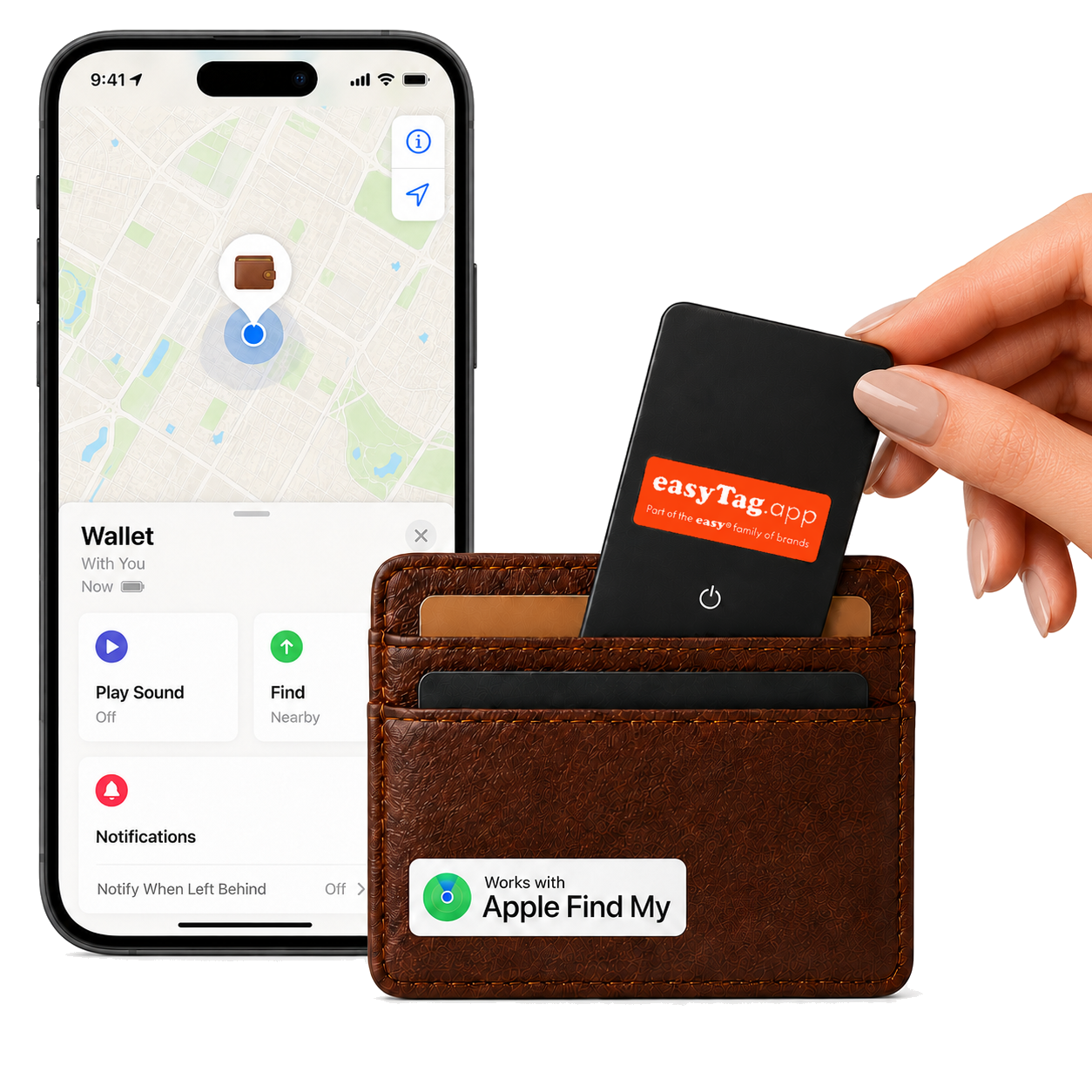
A wallet tracker can give your routine a useful second layer. The habit helps prevent everyday forgetfulness. The tracker helps when the habit breaks.
For iPhone users, the easytag Wallet Tracker for Apple is a slim card-style tracker designed for use with Apple Find My. It is made for flat everyday items such as wallets, purses and card holders.
It should not be described as continuous live GPS. It is a Bluetooth-enabled item finder that works with Apple Find My. The app may show where the item was detected, but a tracker cannot promise that a wallet is still in that exact place or prevent loss or theft.
That is why the combination matters:
- A fixed home makes the wallet easier to put away.
- A 30-second check makes it less likely to be left behind.
- A compatible tracker gives you another way to decide where to search.
If you want a clearer explanation of the network itself, see how the Apple Find My network helps locate compatible items.
Adapt the check to your day
For the daily commute
Use: phone, keys, wallet, pass, bag.
Keep the work pass and wallet in different fixed slots so you can confirm both without unpacking the whole bag. Reset them when you arrive home.
For the school run
Use: phone, keys, wallet, children's essentials, bag.
Keep adult essentials at the launch point and put temporary items, such as forms or activity kit, directly beside the bag the night before.
For a day trip or holiday
Use: phone, keys, wallet, passport or tickets, luggage.
Do the normal home check first, then add travel-only items. Separating the everyday list from the travel list makes it easier to see what is genuinely extra.
Common mistakes that make the routine fail
Moving the launch point
A different storage place every few days turns the routine back into a search. Choose one place and keep it boringly consistent.
Checking from memory
Thinking about the wallet is not the same as confirming it is there. Use a visual or physical check.
Putting the tracker in the wrong wallet
If you own several wallets or switch bags, make sure the tracker moves with the one you actually carry. A perfectly set-up tracker in a drawer cannot help with the wallet in your pocket.
Buying for the wrong phone platform
Check compatibility before buying. The easytag Apple version is for Apple Find My users. Samsung users should choose the version intended for Samsung SmartThings Find.
Forgetting maintenance
Follow the current product instructions for charging and status checks. Add a simple reminder before a holiday or busy period rather than waiting for a low-power warning at an inconvenient moment.
A one-minute weekly reset
Once a week, clear receipts and loose items from the launch point, return spare bags to their places, and check that your wallet tracker is still in the wallet you use.
This is also a good moment to check the relevant finding app and current product guidance. The goal is not to create another long household task. It is to stop small clutter from slowly breaking a useful routine.
FAQs
What is the simplest leaving-home checklist?
Use phone, keys, wallet and bag. Keep those items at one launch point and check them in the same order before every departure.
How do I stop forgetting my wallet?
Give the wallet one fixed home, return it when you come in, and physically check it before leaving. If you switch bags, use the same type of internal pocket in each bag.
Can a tracker card stop me losing my wallet?
No tracker can prevent loss. A compatible tracker can make a wallet easier to look for and can provide useful location information through its supported finding app.
Which easytag works with an iPhone?
The easytag Wallet Tracker for Apple is the version designed for Apple users and is compatible with Apple Find My. Always check the current product page before buying.
Is an easytag wallet tracker a GPS tracker?
No. The easytag Apple wallet tracker is Bluetooth-enabled and works with Apple Find My. It should not be treated as continuous live GPS tracking.
Sources and further reading
part of the easy family of brands